



The friction in beta feedback has always lived in triage. PMs open every item, read the full thread, figure out what it's actually saying, write a response, and move to the next one. Repeat. At scale, that's most of the job.
Three features are going live in Centercode this weekend. They don't eliminate triage, but they change what triage actually requires from you.
What Changed
AI now handles the reading and the first draft. You spend your time on judgment calls, not setup.
AI now handles two things PMs used to do manually on every feedback item: reading and first-draft writing. Summaries appear before you open an item. Reply drafts appear when you update a status. The work is still yours to review and approve. The starting point is just different.
This release focuses on what happens after feedback arrives. The submission side of the feedback loop (AI-assisted collection and AI-generated form fields) is available on GoEarly and will ship soon.
Scan the List Without Opening Everything
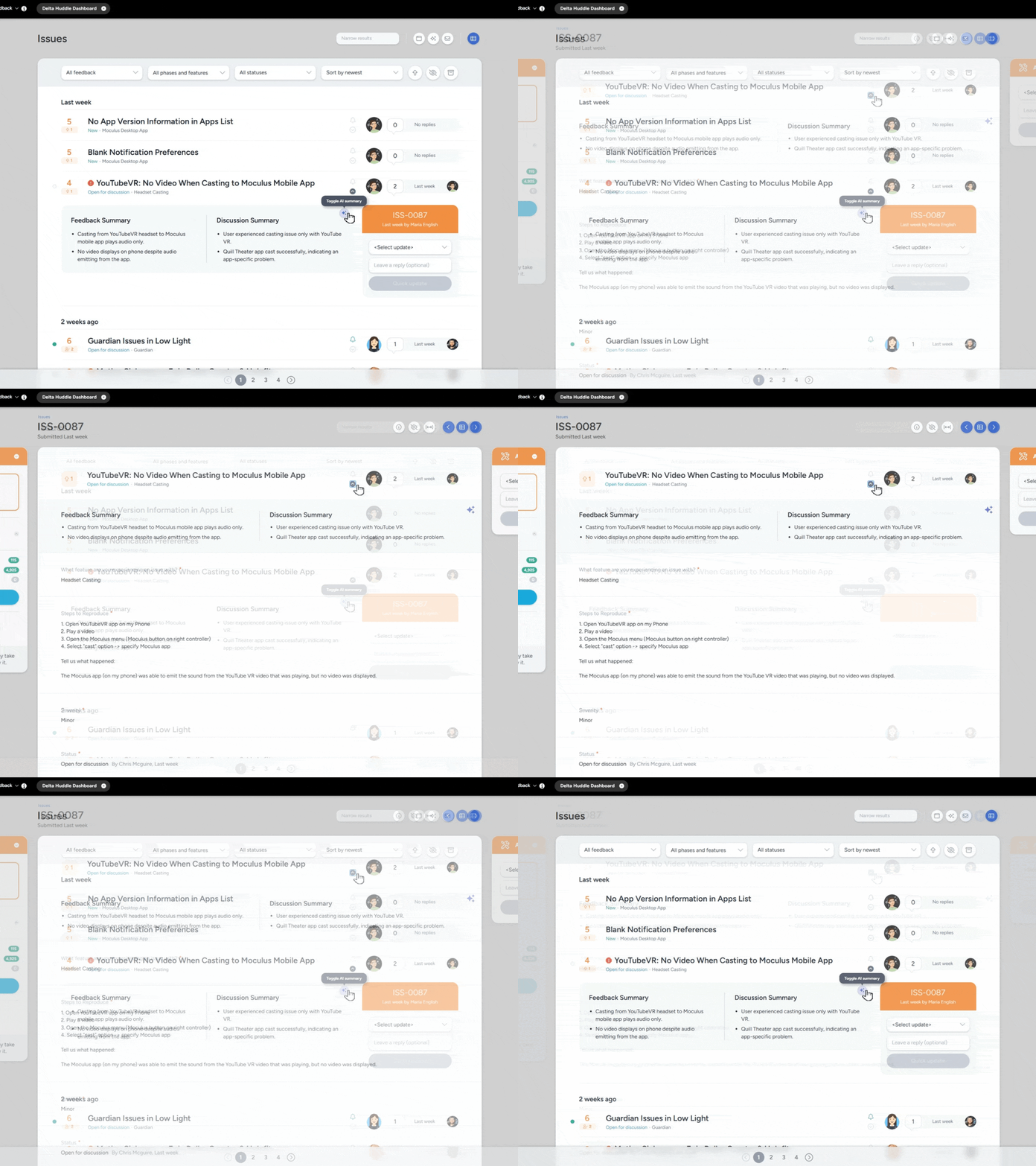
Inline AI summaries mean you know what an item is about before you click.
AI Feedback Summary adds a generated summary beneath each item in your feedback list. You can see what a submission is actually about, not just its title, while scanning the queue. When you do open an item, the full ticket summary is already there.
On a busy program, the queue after a weekend might have fifty new items. Without summaries, you're opening each one just to understand what it's actually saying. Summaries move that orientation out of the item and into the list, so when you do open something, you're already ready to act on it.
The summaries regenerate automatically when new replies come in, so what you're reading reflects the current state of the item, not just the original submission. Admins can add custom instructions per feedback type to shape what the summary pulls from. Summaries can also be added as columns in reports and used as tags in email templates. For more on structuring how feedback comes in, see User Feedback Collection Strategies That Actually Work.
Catch Up on Threads Without Reading Every Reply
Discussion threads compress into summaries that update as the conversation continues.
AI Discussion Summary does the same thing for comment threads. Instead of reading through a full back-and-forth to understand where a conversation landed, a summary is already there. It updates automatically as new replies come in.
For any item that's been through a few rounds of tester follow-up, this changes what "catching up" actually means. You're not reading to understand what happened. You're reading to confirm what you already know from the summary. (For long threads on high-traffic items, this one is hard to overstate.)
Status Updates Come With a First Draft
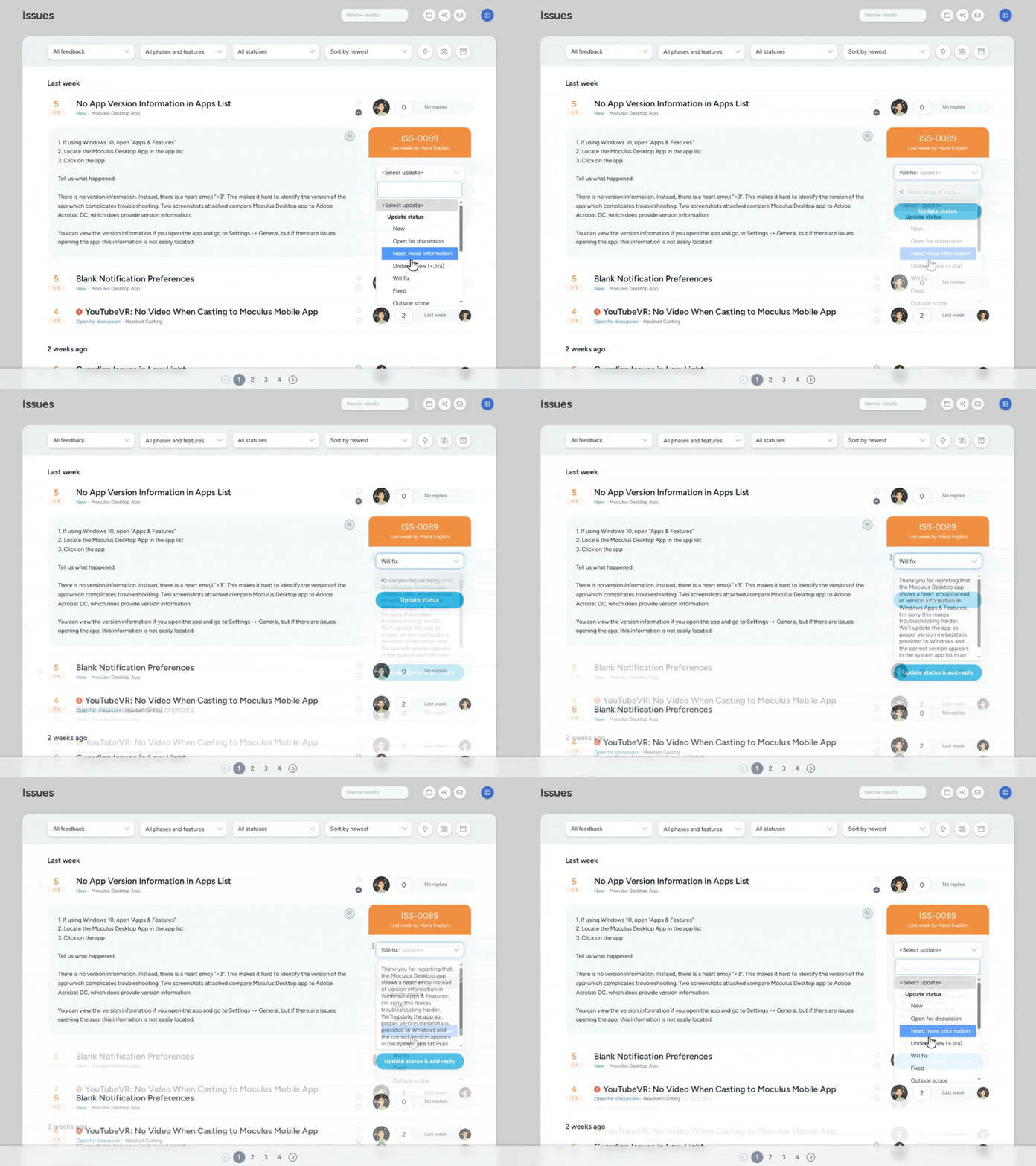
When you move an item to a new status, a reply is already waiting in the response box.
AI Reply Generator auto-drafts a response whenever a PM changes a feedback item's status. Move something to "Under Review" and there's a draft that fits that update. Move it to "Need More Info" and the draft reflects that tone. You review and edit before anything goes out. But the blank text field is gone.
The drafts are tailored to the type of status change, so a "Fixed" reply doesn't read like a "Declined" reply.
Every status change is a communication touchpoint with a tester. In practice, those replies often don't get written, especially not at the end of a long triage session. That has a real cost. Auto-drafts close that gap. Testers hear back every time, and the response actually fits the update they received.
Getting Started
All three features are now available in Centercode.
All three features are configurable per community and per feedback type, so you control where AI is active and where it isn't. Availability depends on your edition. Settings are managed through your community AI configuration.
Get more details on our What's New page. If you have questions about enabling these features or want help thinking through how to roll them out for your program, reach out to your customer success manager.


