
You shipped it in an afternoon.
A real, working tool. It scrapes the thing, formats the thing, and posts the thing in Slack, faster than the manual process everyone complains about in standup. You announced it with a demo GIF. It got three reactions and one "this is awesome." That was two weeks ago. You're still the only person using it.
If that stings, take a breath. Building fast wasn't the mistake. There wasn't a mistake, exactly. There's just a step left, and it's smaller than you think.
Homegrown internal tools rarely fail because the code doesn't work. They fail because the builder skipped the product loop: Nobody confirmed the problem going in, and nobody checked for real usage coming out.
Why Is No One Using My Internal Tool?
For decades, building software was the expensive part. It took engineers, budgets, and quarters, and before any of that it took convincing someone: a developer, a manager, a budget owner. That pitch was a validation step in disguise. If you couldn't explain who needed the tool and what they did today instead, it didn't get built. So "it works" felt like the finish line, because by the time anything worked, the problem had already survived scrutiny.
AI broke that arrangement. When anyone can vibe code a working tool in an afternoon, there's no one to convince first, and the person you used to convince was quietly doing your product discovery. Shipping stops being the milestone. The milestone is whether anyone's still using it two weeks later. Brad Day, one of our product directors, has been building internal tools with AI on top of a career with zero coding in it. His hardest-won lesson had nothing to do with prompts: A 30-minute prototype doesn't mean a 30-minute product.
A purchased tool comes with a vendor, a training plan, and someone whose job is rollout. Your tool comes with you. There's no onboarding email you didn't write and no champion you didn't recruit.
None of this is an argument for slowing down. Ship fast. We mean it. But iterating without outside signal isn't iterating. It's decorating.
How Do You Get an Internal Tool Adopted?
You don't need a research phase, a survey, or a committee. You need a loop, and the whole thing fits inside a normal work week.
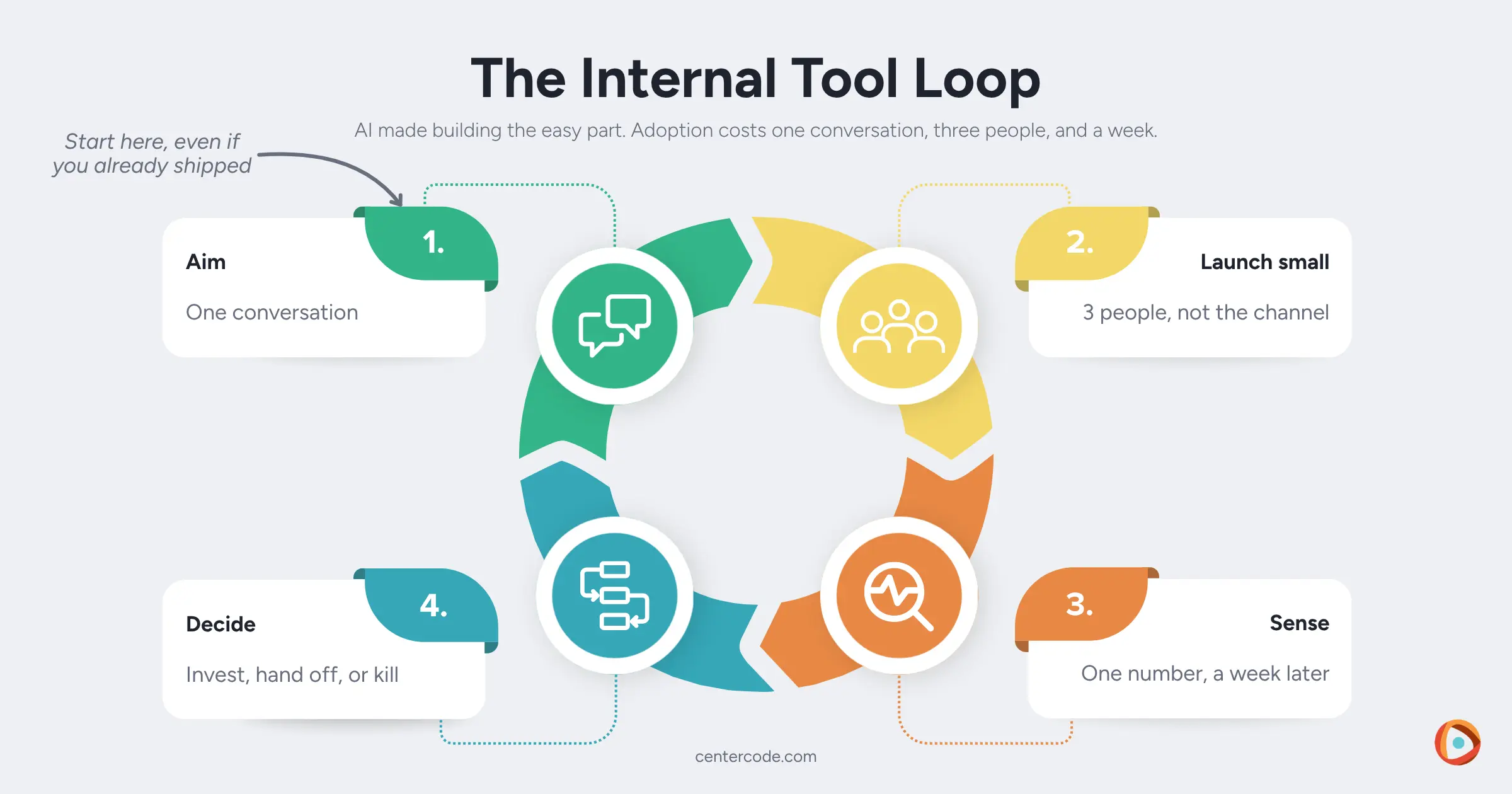
- Aim. Find one person who'd use the tool and ask about their current behavior: "What do you do today when this comes up? Walk me through it." It's a user interview in miniature. Don't ask "Would you use this?" It invites a polite yes. Your coworkers are politer to you than customers will ever be, which makes their "sure, looks cool" worthless as a signal.
- Launch small. A three-person pilot beats a channel-wide announcement. Every coworker has a finite pool of energy for trying new things, and a big launch spends the whole team's on a tool you haven't proven yet. Spend three people's instead, and watch them use it, live if you can. Where they hesitate tells you more than anything they say.
- Sense. Check one number a week later. Usage, not reactions. At internal-tool scale, adoption means three people used it twice without being reminded.
- Decide. Make one iteration pass based on what real people did, then choose: invest, hand off, or kill it. Killing a tool that solved nothing is a win. It cost you an afternoon and taught you something true about your team.
Already shipped to silence? Start the loop right where you are. The first conversation is actually better with a working tool in hand, because "what do you do today instead?" now has something concrete to bounce off. Your tool is one honest conversation away from its second launch.
Your Coworkers Are Your User
Everything in that loop is product validation, just pointed inward. Confirm the problem, watch real usage, iterate on evidence, and decide on purpose. If you work in product, you already have these skills. The only new idea is aiming them at the people down the hall, or across the Zoom grid.
The ad-hoc version works great for one tool. It strains when your team ships a new tool every week, someone has to keep all those loops honest, and every half-adopted launch drains the pool a little more. That's the point where companies formalize it: Structured employee testing does for a portfolio of internal tools what your three-person pilot does for one, and it's a close cousin of dogfooding (same discipline, different target). Better tools are the obvious return. The one that compounds is coworkers who think like product people.
It's the kind of problem product teams keep circling at our summits, and when you're ready to turn coworker feedback into a system instead of a favor, that's what Customer Zero is built for.
You shipped it in an afternoon. Getting it adopted takes one conversation, three users, and a week. Still a bargain.